

So in my recent posts, I’ve been exploring AI and agentic AI:-
- Agent Skills – how to create and test them
- Enhance Your App with Agent Skills: A Practical Guide
- Extending My Agentic SDLC Demo: Adding Vibium Test Support Alongside Playwright
- How I Built an Agentic SDLC Demo with Cursor, MCP Servers, Playwright, GitHub, and Vercel in Under an Hour.
- How to use Playwright and AI to write a blog post
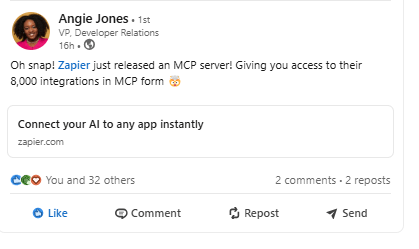
I heard on the LinkedIn grapevine the news that workflow automation specialists Zapier have embraced the MCP bandwagon and decided to serve up all of their integrations via the MCP route. Thanks for the heads up Angie.
This will allow AI Agents to interact with these integrations, and opens up a lot of experimentation opportunities for someone like me (read: a little techie but not a total techie) to learn more about this evolving technology.
Here are a couple of experiments I tried with this. I’ll come back and update this post if I get any of the failing ones to work.
1. Connect to the Zapier MCP Server and use it to Send an Email to Mailinator
This was surprisingly straightforward – although the Zapier docs are well known for being ridiculously user friendly, so it shouldn’t have really come as a surprise. If you are thinking of setting up and documenting your own MCP server, definitely check out their docs.
- setup
All I needed to do here was to follow the on screen guide – generate my MCP endpoint (think API key):-
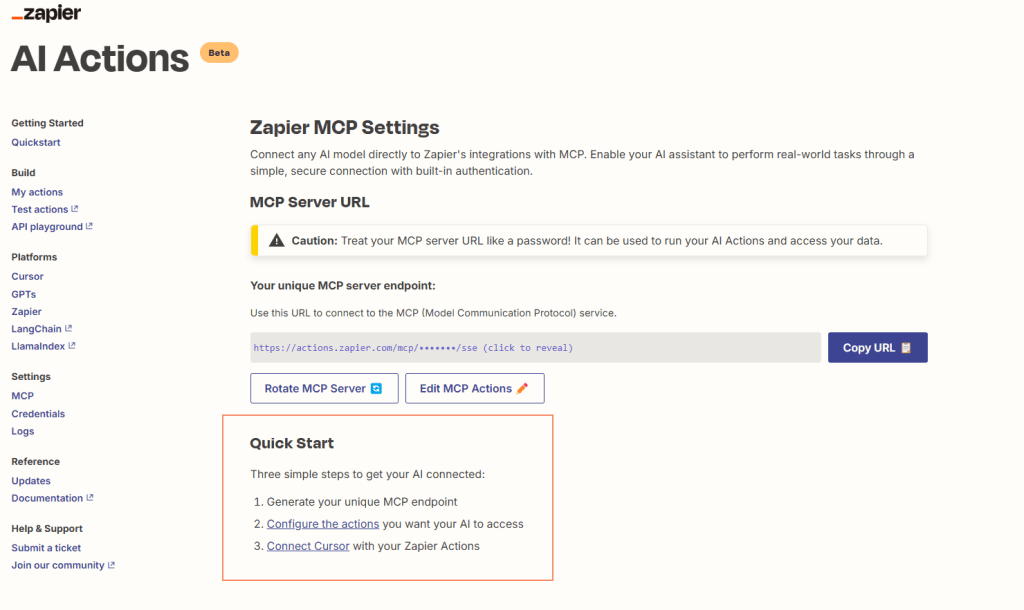
Then I configured the action I wanted to. I selected the POST message action of the Mailinator Zap, because I was familiar with this so it was easy to check if it was working. Plus I could see a potential use case here for folks wanting to use an AI Agent to test their email flows.
I clicked the configure the actions link, and selected the action I wanted to configure by searching for it:-

I followed the prompts and the links to add a webhook token (generated from my Mailinator account) into the action, so that it could connect:-

Once I’d done this, it was a case of modifying the action to decide what I wanted to happen when this action got triggered. I could select:-
- hard-coded values (e.g. FROM email address)
- Let AI choose
I could also require a preview before running – which could be a very useful feature if testing this in production for example. #humanInTheLoop

Once the action was configured and enabled, I didn’t even need AI to test it out – I could do this from the beta demo option in Zapier itself.
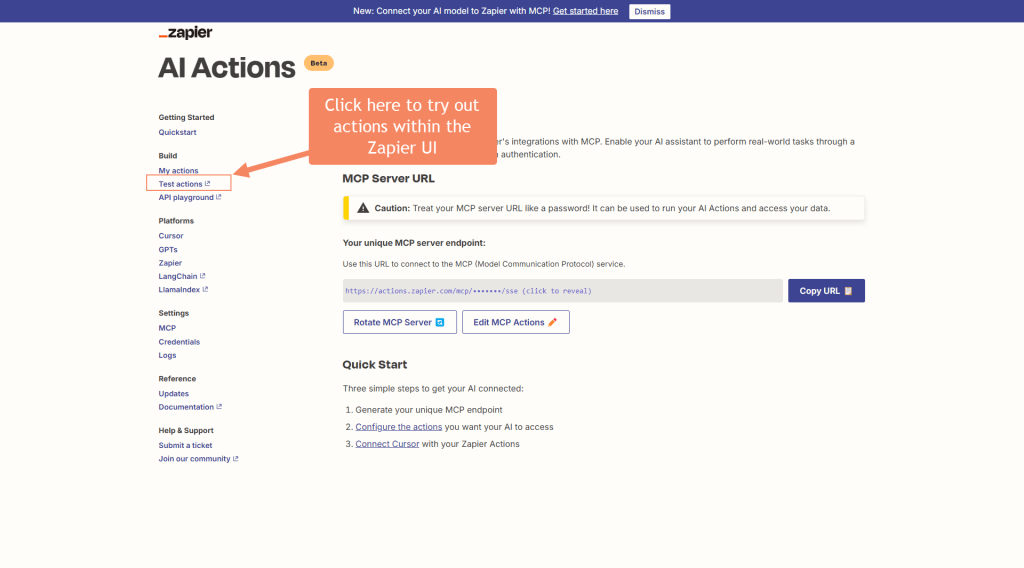
Then it was simply a case of making any final adjustments and hitting Run

Result
It worked! Check out me running the action on the Zapier MCP Server here, and it sending an email to Mailinator.
Connect open source agent Goose to the Zapier MCP and use it to execute an action for me
Now we know the action works, the next step is to execute it via an agent. I’ve been using Goose lately as it connects easily with other MCP servers, so I thought this would be straightforward.
Sadly, I couldn’t get it to work, but here’s what I tried (it might work for you):-
- Copy your personal MCP server endpoint URL from the Zapier website:-

Get Goose up and running (see links at top of page for previous posts to discuss how to install Goose).
2. Add the extension into Goose using the goose configure command

3. Start up Goose and the extension by using the goose session command. See above image for details here (blurring out my MCP server key, obvs). Unfortunately goose wasn’t happy with that particular MCP server, so there’s where the experiment ends, but if you do get it working, you can move onto the next step.
4. Ask goose to do something e.g. send an email to Mailinator with the following text and test the content is correct on the email that lands in the inbox. text: example login email
Not sure why the action worked in Zapier but the server couldn’t be initialised in goose. If I find out, I’ll update this post.
Connect to Zapier MCP via Cursor.ai pt1 – annoying fail
What worked:-
- editing the mcpserver settings
- connecting to the mcp server
What didn’t work:-
- Getting cursor.ai to connect to LLM to deliver the prompt – due to demand on the server I couldn’t actually complete this with my free stinking account so…

Connect to Zapier MCP via Cursor.ai Pro pt2 – success!
After taking the bait and upgrading my cursor.ai subscription to pro, this prompt worked great first time. Take a look at the video to see an example of the “human in the loop” pause before the zapier mcp server proceeds to send the email.
Being able to tweak the action in Zapier to give AI as much or as little freedom as you want could come in handy too. For example, you could ask AI to generate the content of an email so that you can get randomised test data:-

Or, you can be explicit and insist on the same hard coded email content every time, to ensure consistency.


Summary
Definitely worth experimenting further with this – opens up a lot of existing actions where the work has already been done for you in Zapier to potentially connect to via the agent.
The safety break of not only having to supply the actions you wish to expose via the MCP server, but also configure them so that the user sees a preview could be incredibly useful when testing enterprise applications, or providing justification for the safety of using agentic ai to test things at work.
Happy testing!
 Beth The Tester's Tales