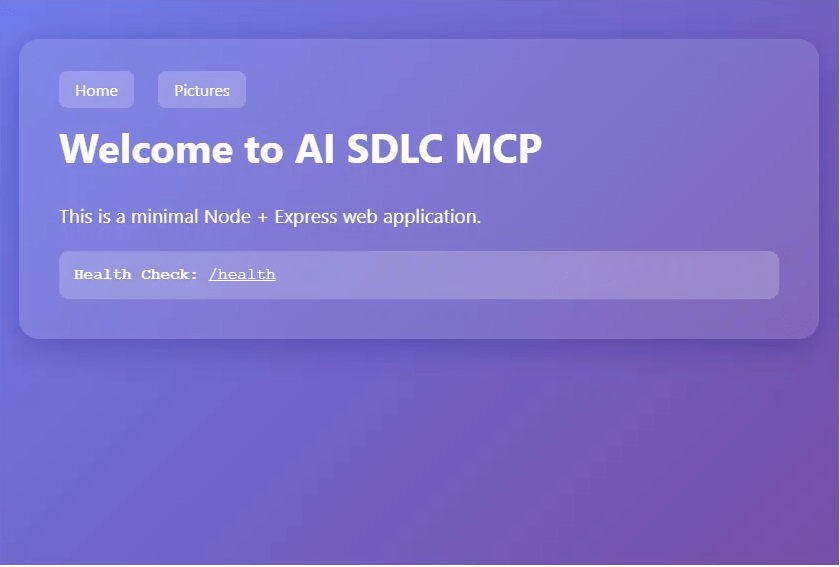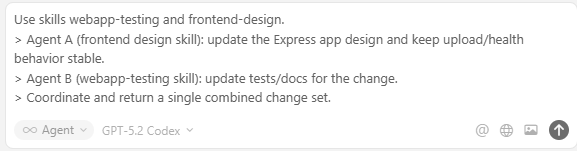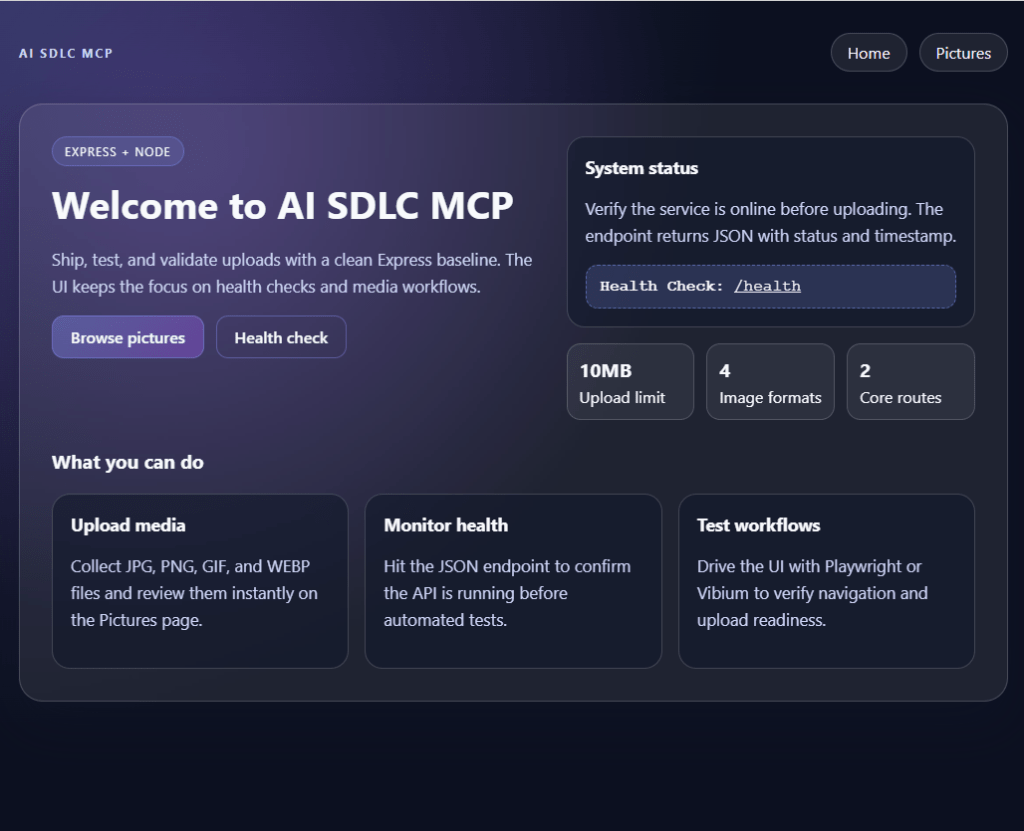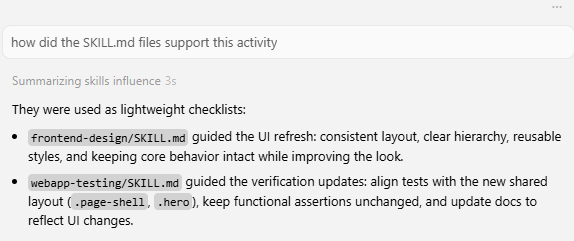

In this blog post, I’m going to show you how to use Playwright and AI to write a blog post.I’ll be using the Playwright MCP extension for VS Code Insiders, which allows you to use natural language to interact with the browser. This means that you can write commands in plain English, and the extension will translate them into Playwright code. This is a huge time-saver, as it means that you don’t have to spend time looking up the correct syntax for Playwright commands.I’ll also be using GitHub Copilot to help me write the blog post. GitHub Copilot is an AI pair programmer that helps you write code faster. It can suggest whole lines or even entire functions right inside your editor.I’m going to start by creating a new Playwright test. I’ll then use the Playwright MCP extension to navigate to my blog and create a new post. I’ll then use GitHub Copilot to help me write the content of the blog post. Finally, I’ll use the Playwright MCP extension to publish the blog post.I hope you enjoy this blog post!
I’ve been exploring a few open source MCP (Model Context Protocol) servers recently.
TL:DR
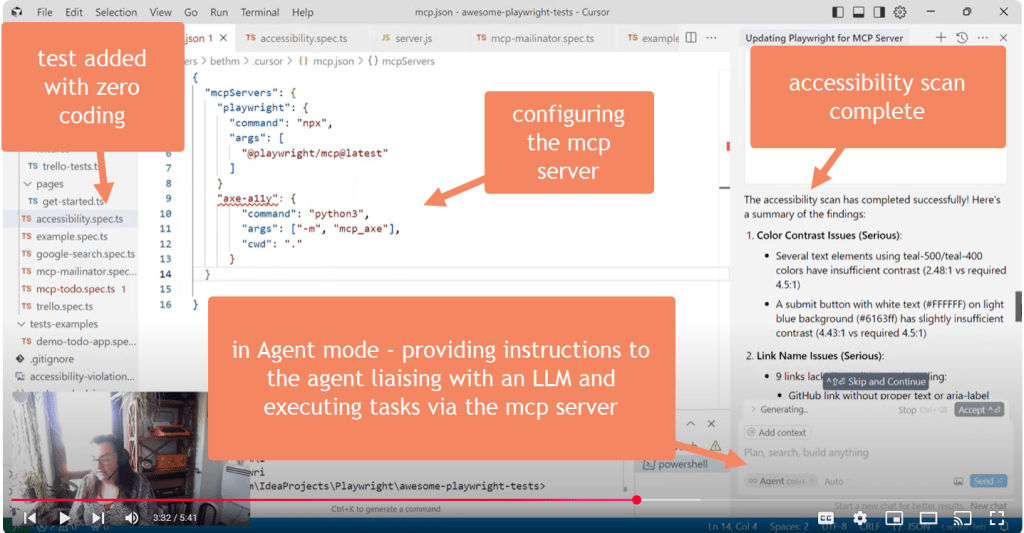
Here’s a youtube video with how I got on with the Axe-MCP server:-
YouTube Video demoing the MCP-Axe Server
The latest one that caught my eye was Axe MCP – an MCP compatible plugin for automated accessibility scanning. Shout out to Joe Colantonio’s Test Guild for his mega weekly series which brought my attention to this. Click the image to listen to the podcast. I definitely recommend connecting with TestGuild on LinkedIn and subscribing if you’re interested in the latest news.
I had a spare half an hour, so I thought I’d try it out.
The experiment
I had an existing Playwright framework which was basically the templated one you get when you install playwright, nothing fancy. I wanted to add a test to perform an accessibility scan using axe-core, driven by the MCP through my cursor IDE.
The Results
I was pleasantly surprised – in under 5 minutes and just two natural language prompts to my cursor agent this setup was able to:-
Install and Add the MCP Server
Add an accessibility scan test
Execute the test
Learn and iterate on the code – the initial test failed as chromium browser had not been installed, so this was automatically fixed (I was asked for permission)
Execute the test again
Summarise the accessibility findings in the accessibility report live in the chat
Attach the stout accessibility report to the standard playwright test results html report
Take a look at the youtube video at the top of this page for the full details.
I think if you are interested in getting engineers to the point where they are adding value faster, provided the scans perform similarly to those generated with more traditional methods (be they “manual” or coded using Selenium commands for example) using MCP could be a way to get this off the ground a lot faster.
Not only that, but seemingly being partially self-healing could help reduce debugging time even more – that is, if you know what you’re doing and can course correct the Agent if it goes off track.
Things to be aware of
Its best to be very mindful of security of any open source MCP server. Security concerns are rife, and the importance of reviewing the code and keeping the human in the loop can’t be underestimated either.
Also, being created by a single user, this plugin is not officially affiliated with Axe from what I can see, which may cause maintenance and support issues down the road. I’m in awe of anyone who gives up their time to write open source software though, so huge kudos to Manosh Kumar for getting this over the line.
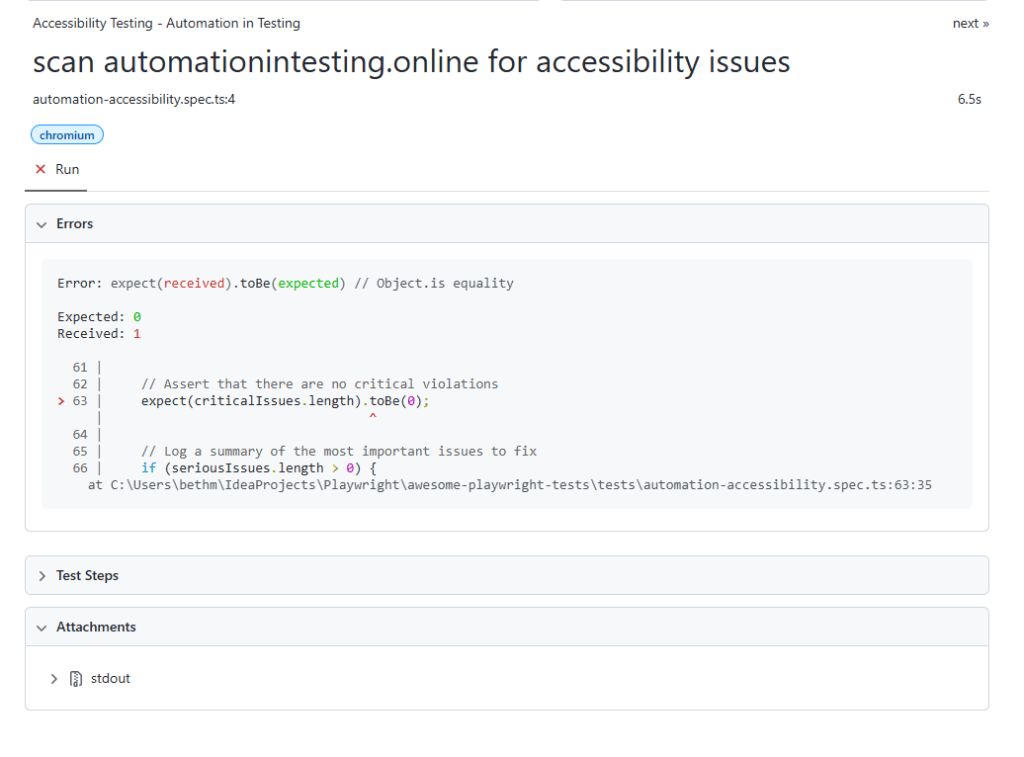
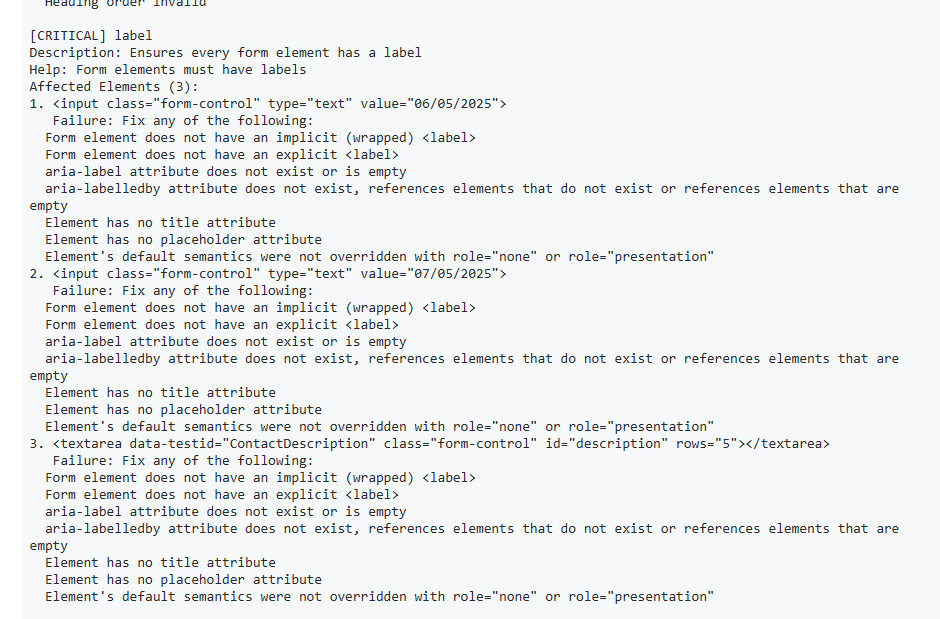
I haven’t experimented with this on other websites, so its possible I’m seeing a curated version of the output – I’d like to do a like for like with similar automated tests written in the traditional way to compare output if I were doing a full evaluation. UPDATE – I did try on Mark Winteringhams newly updated test website https://automationintesting.online/ and it successfully failed with critical accessibility issues detected:-
The playwright test results report generated by the Agentdetails of the critical issue found which failed the test
Finally, as with anything accessibility related, it isn’t possible to automate 100% of the testing – so please do not view this mcp extension as a replacement for traditional accessibility testing techniques.
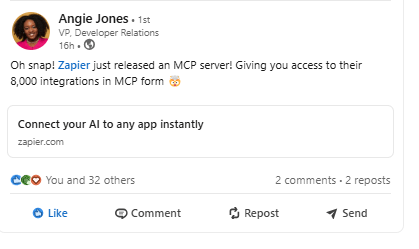
I heard on the LinkedIn grapevine the news that workflow automation specialists Zapier have embraced the MCP bandwagon and decided to serve up all of their integrations via the MCP route. Thanks for the heads up Angie.
This will allow AI Agents to interact with these integrations, and opens up a lot of experimentation opportunities for someone like me (read: a little techie but not a total techie) to learn more about this evolving technology.
Angie Jones LinkedIn post where I first heard of Zapier MCP server
Here are a couple of experiments I tried with this. I’ll come back and update this post if I get any of the failing ones to work.
1. Connect to the Zapier MCP Server and use it to Send an Email to Mailinator
This was surprisingly straightforward – although the Zapier docs are well known for being ridiculously user friendly, so it shouldn’t have really come as a surprise. If you are thinking of setting up and documenting your own MCP server, definitely check out their docs.
setup
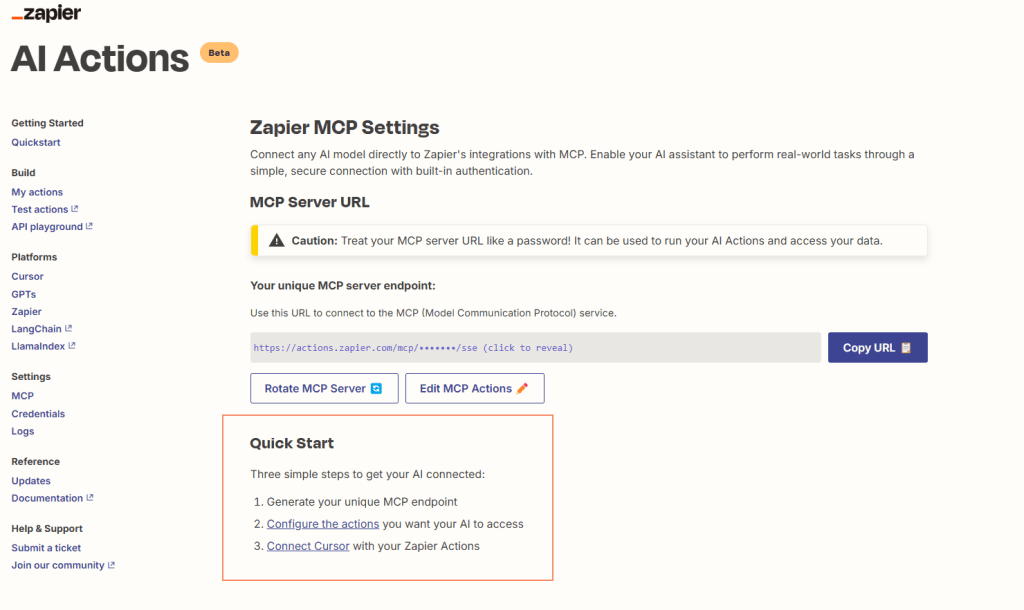
All I needed to do here was to follow the on screen guide – generate my MCP endpoint (think API key):-
Then I configured the action I wanted to. I selected the POST message action of the Mailinator Zap, because I was familiar with this so it was easy to check if it was working. Plus I could see a potential use case here for folks wanting to use an AI Agent to test their email flows.
I clicked the configure the actions link, and selected the action I wanted to configure by searching for it:-
searching for action from one of over 8000 possibilities on Zapier
I followed the prompts and the links to add a webhook token (generated from my Mailinator account) into the action, so that it could connect:-
Adding Webhook token
Once I’d done this, it was a case of modifying the action to decide what I wanted to happen when this action got triggered. I could select:-
hard-coded values (e.g. FROM email address)
Let AI choose
I could also require a preview before running – which could be a very useful feature if testing this in production for example. #humanInTheLoop
MCP action configuration
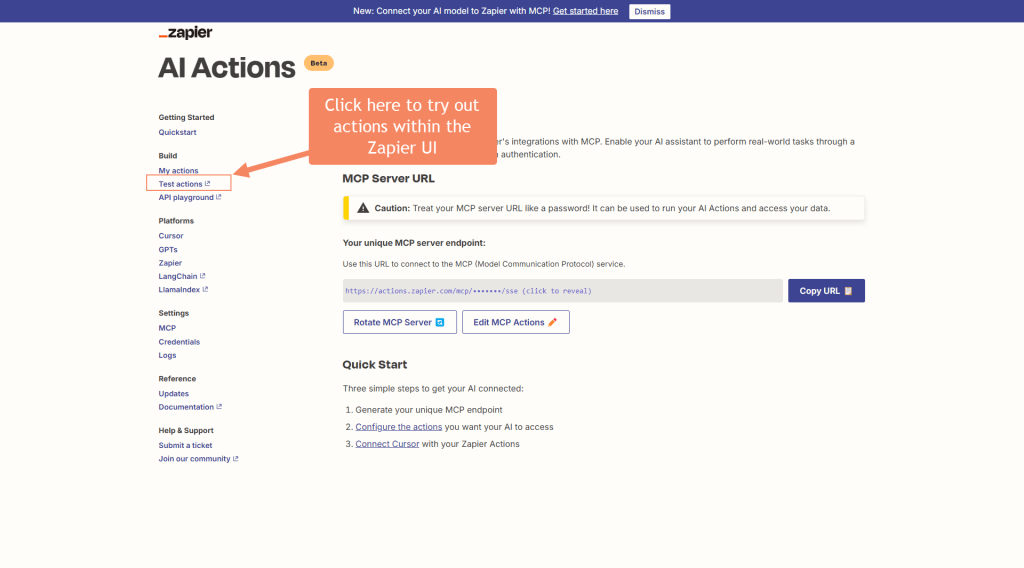
Once the action was configured and enabled, I didn’t even need AI to test it out – I could do this from the beta demo option in Zapier itself.
where to try out an action before plumbing it into an agent
Then it was simply a case of making any final adjustments and hitting Run
Test actions page within Zapier to add final configuration before trying out
Result
It worked! Check out me running the action on the Zapier MCP Server here, and it sending an email to Mailinator.
Connect open source agent Goose to the Zapier MCP and use it to execute an action for me
Now we know the action works, the next step is to execute it via an agent. I’ve been using Goose lately as it connects easily with other MCP servers, so I thought this would be straightforward.
Sadly, I couldn’t get it to work, but here’s what I tried (it might work for you):-
Copy your personal MCP server endpoint URL from the Zapier website:-
Copy URL
Get Goose up and running (see links at top of page for previous posts to discuss how to install Goose).
2. Add the extension into Goose using the goose configure command
3. Start up Goose and the extension by using the goose session command. See above image for details here (blurring out my MCP server key, obvs). Unfortunately goose wasn’t happy with that particular MCP server, so there’s where the experiment ends, but if you do get it working, you can move onto the next step.
4. Ask goose to do something e.g. send an email to Mailinator with the following text and test the content is correct on the email that lands in the inbox. text: example login email
Not sure why the action worked in Zapier but the server couldn’t be initialised in goose. If I find out, I’ll update this post.
Connect to Zapier MCP via Cursor.ai pt1 – annoying fail
What worked:-
editing the mcpserver settings
connecting to the mcp server
What didn’t work:-
Getting cursor.ai to connect to LLM to deliver the prompt – due to demand on the server I couldn’t actually complete this with my free stinking account so…
Connect to Zapier MCP via Cursor.ai Pro pt2 – success!
After taking the bait and upgrading my cursor.ai subscription to pro, this prompt worked great first time. Take a look at the video to see an example of the “human in the loop” pause before the zapier mcp server proceeds to send the email.
Being able to tweak the action in Zapier to give AI as much or as little freedom as you want could come in handy too. For example, you could ask AI to generate the content of an email so that you can get randomised test data:-
Or, you can be explicit and insist on the same hard coded email content every time, to ensure consistency.
Modify the action in Zapier to give or restrict AI freedomresulting email sent by MCP to Mailinator
Summary
Definitely worth experimenting further with this – opens up a lot of existing actions where the work has already been done for you in Zapier to potentially connect to via the agent.
The safety break of not only having to supply the actions you wish to expose via the MCP server, but also configure them so that the user sees a preview could be incredibly useful when testing enterprise applications, or providing justification for the safety of using agentic ai to test things at work.
When I’m not spending my weekends on such life affirming tasks as taking son to football practice, watching Gladiators or drinking wine, I like to indulge in some hands on learning. At the moment its been focussed on chipping away at the ever expanding pool of knowledge surrounding AI and test automation. Here are some of my recent posts:-
For the last few weekends, I’ve been mucking about with Block’s open-source AI agent, Goose, integrated with Angie Jones’ Selenium MCP server.
TLDR: Video
The Setup
Goose is an interesting development from Block (formerly Square) that can dynamically load extensions and interact with various tools. For this experiment, I used the selenium-angie extension, which provides a suite of Selenium WebDriver commands wrapped in an AI-friendly interface. This means that Goose can perform selenium tasks such as opening a browser, clicking a button etc. by simply entering in a natural language prompt such as:-
Navigate to OrangeHRM demo site. Login using the credentials provided then logout.
Now, as Goose themselves admit, the focus for rollout of this new tool (was only released in February) was on Linux and Mac installations. As a Windows user, this meant getting the following to work was fiddly and (for me) quite hard work:-
Installing Goose – not currently available on Windows, so had to first run a few commands to install via wsl (something I hadn’t used before so was largely unfamiliar with)
Configuring Goose – this was the least troublesome aspect as the cmd line interface was pretty user friendly. When they integrate the UI though it’ll be loads better.
Adding Extensions to Goose
As Angie Jones mentions (see sources for recent Github livestream) there are two main go to places to find Extensions (or MCP servers) for Goose.
Each of these is a really great resource to explore to find Agent extensions you can plug into Goose to get it to assist you with certain tasks. However what I was most interested in was test automation, so when Angie said she was working on a Selenium Webdriver MCP server I knew I had to try it out.
I was able to quickly find her brand new Selenium Webdriver MCP server on Angie’s github repo and get it from there – her Readme file was super helpful:- https://github.com/angiejones/mcp-selenium
Getting extensions working in Windows Goose was fiddly for someone unfamiliar with the process, but again, I’m sure this’ll get easier as the product develops.
For example, if you get an error when running Goose Session about an extension not working such as:-
Failed to start the MCP server from configuration Stdio(selenium-angie: npx -y @angiejones/mcp-selenium) `Call to ” failed for ‘initialize’. Error from mcp-server: Stdio process error: npm error code ERR_INVALID_URL\nnpm error Invalid URL\nnpm error
Adding additional installations in order for Goose to be able to work with the extension (e.g. I needed to install Chrome via WSL so that Selenium Webdriver could work). As I had Chrome installed on my machine I didn’t put two and two together and realise it also needed to be installed via WSL. Luckily Goose was able to point me in the right direction, but it wasn’t able to install it for me.
The Experiment
Using the demo HR website OrangeHRM tasked Goose with performing several common HR system operations:
Logging into OrangeHRM using demo credentials
Adding a new employee named “Deborah Shmeborah”
Attempting to verify leave balances
Successfully logging out
Observations
What’s fascinating about this approach is how Goose handles the automation steps:
It automatically structures the Selenium commands in a logical sequence
It handles element location using various strategies (XPath, CSS, name)
It can recover and attempt alternative approaches when initial attempts fail
It maintains context throughout the entire session
Technical Insights
The most frequently used Selenium commands were:
click_element for navigation and button interactions
send_keys for data input
find_element and get_element_text for verification attempts
Challenges and Learning
While Goose successfully handled basic operations, it did encounter some challenges with dynamic elements during the leave balance verification. This highlights an important aspect of AI-driven automation: the need for robust error handling and alternative approach strategies. At this stage, it really would have been much faster, at least in Windows, to just create a selenium framework and get it to do the same thing.
Conclusion
This experiment demonstrates the potential of agentic AI in test automation. While not perfect, tools like Goose show promise in making test automation more accessible and maintainable. The integration with well-established testing resources like Angie Jones’ Selenium MCP provides a solid foundation for practical experimentation. I hope that open source tools like this will empower people who have good ideas but are light on the “how” of technical implementation to get something off the ground.
What excites me most is the potential for combining AI agents with traditional test automation approaches. As these tools evolve, they could significantly change how we app roach software testing.
Sources
Huge thankyou to Angie Jones for what she is doing in this space, including raising the profile of Test Automation.
Postman Tool Generation API – using this in-built tool and a few drop downs, auto-generates you some boiler plate code you can use to integrate any of the 100K+ APIs into an AI Agent or LLM. Early days, but could be a real time saver if you wanted to try out any public APIs e.g. Mailinator. Only current code selections are JavaScript and Typescript but sure this will expand in time.
Postman AI Protocol – instead of creating a new request, workspace or collection, you now have the option of selecting “AI”. This allows you to create a single prompt that you can tweak and reuse across LLMs just by changing the model. See the video below where I try to use Anthropic creds for an OpenAI request, then without tweaking anything but the model name send the correct request.
There is also a Flow which provides outputs when several models are sent the same information – really handy if you’re testing model outputs.
Continuing this theme, I thought I’d try out GitHub Browser Use. It took me a little while to figure out how to install the pre-requisites, where to update the OpenAI API key and task which I wanted the agent to do, and also find a suitable site to play with.
On my travels I discovered that the OrangeHRM demo site (used and loved by testers) is now behind a registration screen for a 30 day free trial.
First thing I tried was to ask it to make a booking. It failed miserably – utilising 80K tokens in the process of over 5 minutes of “thinking” about how to complete the task before I shut the agent down.

If you see the vid at the top of the page you can see it processing the original query and where it went wrong – I think on reflection this isn’t necessarily an issue with the tool itself – this site is an example testing site which intentionally has bugs such as error messages that don’t really make sense (such as “must not be null” without any explanation of what must not be null). For sites which are a bit more productionised I’m guessing this will be less of a problem (although not eliminated entirely, human in the loop FTW!).
I’d also point out that I haven’t experimented with the more plausible type which is to ask the agent to perform this via API calls rather than trying to do things in the front end.
*I believe blog posts should be human generated, so AI hasn’t been responsible for this shoddy mess (ahem, technical musings). Note I am not available for any reviews of the latest tools and review only those which I feel like looking into, so please don’t ask!
In my previous post I spoke about a few of the AI based tools I’d been personally experimenting with. Napkin.ai in particular is one time saving app I’ve already returned to since, and expect I will again.
This week, my attention has been drawn to a few other tools, namely:-
Fine.ai – an AI Agent powered tool which sync with your repo and raises tickets for you to improve the code
The Experiment
I thought I’d create a Test Automation Framework from some prompts in Cursor, attempt to add a test and see how long it took to get it working. Then, once it was in Git, pass the repo over to Fine and see if it could be enhanced with further tests, and whether those would actually work once merged back in. See below for link to Git Repo.
screenshot of cursor IDE with in-progress code. Right hand panel shows “chat”. Zero code human written.screenshot shows fine browser window with prompt and resulting enhancements
After under 2 hours work (for a relative novice in these sorts of AI generated tools) I was able to spin up a framework which had:-
Selenium Webdriver
Selenium Manager – for browser configuration
TestNG – for Test management
ExtentListener – for Reporting
POM – page object model for clean code and structure
OrangeHRM – application under test
3 working test cases
The fine tests were perhaps of lower quality than cursor, which given both had access to the source code this is a little surprising. Things I noticed upon inspection:-
WebElement locator strategy was not ideal – css chosen by default (this could easily be tweaked with a prompt)
screenshot shows how easy it is to chat in cursor and ask it to provide you with a better web element locator. It drafts the code change for you, gives you a rationale and you can accept it with a single button click.
The test cases looked to make sense, but upon closer inspection I noticed that they were failing because they weren’t asserting the right thing. This is where the human in the loop comes in – AI doesn’t have your experience of the application, so false negatives are a real risk of over relying on the technology here.
Screenshot shows AI generated test code with comments stating what had to be changed or removed
I did think the integration between Fine and Git worked really well – PRs in particular were well documented than a lot of human crafted ones I see. Note I still had to ask it to create the PR, and the PR was created in draft form for my review before I could merge it in – all sensible precautions.
AI generated Pull Request by Fine
Most things did not work straight out of the box, but I was able to fix the 15 or so issues by querying cursor chat, passing error logs etc. and asking it to fix. The ability to apply the fix immediately was a real time saver, particularly when debugging. Typical things which didn’t work first time:-
Files not in the right place
Dependencies missing from pom.xml
imports missing from test cases
The Verdict
Now if you do a lot of test automation this analogy will make sense – using cursor as an IDE gives you a bit of a leg up from the current offerings in the same way that Playwright does – Selenium is incredible, but you have to do the work of customising it and creating a framework from it yourself (in the same way you need to plugin AI ability and manage it in addition to a standard IDE at present). Whereas Playwright is a framework out of the box, complete with bells and whistles and ease of use features. In this way Cursor is out of the box ready to go. Would I use it again? Yes probably, but some of its features didn’t feel mega intuitive to someone who was familiar using other IDE’s such as Eclipse, Intellij or VSCode. Perhaps that would come in time.
Fine was rate limited as I wasn’t paying for it, and I did find the interface a little tricky to get the hang of – as well as having lots of timeout issues. But I did find its code to be decent, and the integration with GHE would potentially be a good timesaver for teams looking for something to help with some of the grunt work. Leave the creative thinking and the thorny stuff to the real people though (as Fine say themselves when you sign up).
It was very very easy to become over-trusting of both areas though, and potentially get yourself into more of a mess than just doing it yourself. Excited to see where the technology goes next, and happy to be learning more.
The learning never really stops does it. I’m actually enjoying having a go at different tools at the moment, and trying to make it all make sense in my head.
Strategically, I want to be able to articulate how AI can support those in quality engineering, particularly around test automation.
Here are a few things I’ve been having a play with this week:-
Anthropic’s Claude Computer use – I went back to my original experiments with the calculator documented here https://www.linkedin.com/posts/activity-7259308192675864577-F_CK?utm_source=share&utm_medium=member_desktop and expanded them to try and learn more about this beta feature. Having not really used Docker on my own machine before (I know!), getting this working via Docker desktop was a lot more straightforward than I thought it’d be.
Github Copilot. I’m really trying to think strategically about the use of this. How to best use this powerful extension to pragmatically augment existing test automation frameworks in a way that doesn’t remove the human from the loop.
Open AI’s ChatGPT. It sounds odd, but I hate having to turn off cookies on every site I go on. ChatGPT provides answers without this extra layer of faff (having already done it once). I’ve recently found it useful for brainstorming, summarising, asking random questions, clarification and debugging e.g. when I use cmd line to run this docker startup command I get errors. why? Oooh its because I need to use GitBash because that command is a unix command and doesn’t work natively on windows – thanks!
I was sent my physical copy of Software Testing with Gen AI by Mark Winteringham this week. I reviewed this book – and I mean really reviewed it – think buying API tokens to check the prompts actually work, setting up RAG, the works! Here’s a vid of me opening the book, along with my cat, who instantly claims the packaging for their own. 🐈⬛I was happy to get the chance to do this though, because the book is a solid reference point that I know I’ll be returning to as I start to become more serious in my AI learning journey
Inspired by Gabrielle Earnshaw’s recent vid, I explored napkin.ai. I used it to add a visual to an earlier blog post. I’m really glad Gabby made a video, because initially I went to chatGPT and searched for the napkin.ai agent on mobile – but this wasn’t what I was really looking for. After following her vid I signed up to the napkin.ai beta and accessed on desktop which was where the magic could happen. The result is the pdf you see in this blog post. I know this is going to be an absolute timesaver for me, because this kind of thing sounds easy then actually takes hours to put together.
Learning – this was a few weeks back, but I decided to do the free Google AI for Educators certificate. I’d love to be able to train folks about AI eventually, so its interesting to see how Google tackle giving educators the information they need.
I’ve heard recently that a lot of folks use blog posts as a bit of a memory aid 🤔 🧠
They link to stuff they’ve read or perhaps want to read later while its fresh in their mind so they can go back and look later down the line.
I’m going to try this out with a few of the best things I’ve read or seen this week (week ending 7th Jan 2024). I’ve included links to everything so I can go back and check it out later, but feel free to take a look yourself if you’re reading this – it was mostly written for me but that’s no reason you can’t benefit from it too lovely reader!
API Masters Platform
APIDays have created a new free learning site called ApiMasters – https://www.home.apimasters.io/. think of it like a Test Automation University for APIs. It already has several free, non-sponsored courses in there from industry professionals that I’ve managed to complete, and I hope to see more development here in the coming months. Highly recommend for anyone who wants to learn APIs more broadly e.g. API product management, API Security, API Documentation ⭐⭐⭐⭐⭐
Screenshot showing the difference courses currently on offer at API Masters
Designing APIs that stand the test of time
Speaking of APIs, I’ve been checking out Pooja Mistry‘s talk she did at API Days Interface. I like seeing talks aimed at API developers and designers, because it feels like you get to see how the sausage is made. It actually helps quality engineers a lot, because you can see the typical issues that a lot of a developers have when crafting APIs, and examples of what good looks like so you can refer to these when testing APIs of your own. I was lucky enough to meet Pooja in person at Agile Days Chicago last year, and she’s just an incredibly cool person – anyone who can explain techy concepts to non-techy folks always gets my vote!
Things Wot I Have Asked ChatGPT this week
I bought myself a chatGPT subscription for Christmas (don’t laugh!) and am still using it, but not necessarily for the high-fallutin’ reasons I originally thought I would!
It actually reminds me of an earlier experience I had. I once contracted for a small start up, who were making really cool home security cameras. They were bought out by a bigger company whilst I was there, and the bigger company made a really good point about marketing. They said:-
There’s a huge difference between people’s buying intention and what they actually use something for. People buy indoor cameras because they care about home security, and *think* they want to use them to prevent intruders and very scary situations from happening. But the product is actually rarely used for that purpose. In fact, 99% of the time the camera is used to take cute photo’s of the dog.
And I kinda think that chatGPT is becoming like this for me, at least until I find a good use for it. I’m glad its there when I need to ask it something incredibly high brow and stuff, but in the cold light of day what I’ve actually been using it for is to get to what I need without wading through Cookie notifications (that I always decline so can get painful), Ads or content that I don’t need. For this it is incredibly useful. For example:
Give me a 15 question quiz with answers on the first three Harry Potter books (these are all that my little boy has read so far and he hasn’t yet seen the movies so getting a specific set of questions without the appalling sign up on the Harry Potter website is great!)
Summarise how to solve a Rubik’s cube
Does UK accent bias exist? I’m very interested in this topic, having seen something on TV about it a few months back. I’m toying with the idea of doing a talk, but wanted to do some research first. (spoiler alert, it does exist).
Dall-e – generate an image of microscopic close up art of an eyelash
Picture shows Dall-e AI generated image in black and white of a eyelashes complete with skin mites – eurgh!
Identify 5 trends in software testing in 2024, show your sources
All of this was done from my phone, mostly while I was a passenger in a car, or watching TV. I also experimented with Bing and Bard, to see if they gave similar answers to the same question – definitely worth knowing this and trying alternatives if your AI isn’t giving you what you need!
A Realistic World View on AI adoption: Getting AI Ready in 2024
Screenshot shows a linkedin Post of an article entitled “Getting AI ready in 2024”
Software Testing Weekly – issue 204
I subscribe to Dawid Dylowicz fantastic testing roundup, so when an email lands in my inbox I immediately check out two or three of the articles that stick out to me. This week it was a Reddit thread on QA skills learned – I don’t usually view Reddit but the posts on there are usually the ones that feel most honest and uncensored, so its a useful prompt for me to get links to good threads.
Ministry of Testing
I usually check out a couple of things on MoT every week, because its such a trusted source of information to me. I enjoy Friday afternoon live LinkedIn sessions with Simon Tomes (community Boss) as anyone can jump in, and so you feel like sometimes the unstructured convo’s that bubble up on there can really get you thinking. Ditto Club posts. I also read Ady Stokes article about Making Your Presentations More Accessible. Keeping on top of accessibility is super important, and next time I have a new presentation I’ll come back to this article to double check the accessibility considerations I’ve made are good ones.
Summary
And that’s it for this week – hope you re-read this in the future Beth!
Finally getting round to Christmas shopping? Realising you haven’t got time to order something and get it delivered in time for the big day? No probs!
Here are a few ideas for thoughtful techy gifts that can be bought and shared instantly – no p&p or next day delivery charge in sight whoop! 🎁
Here are my top, and 100% unsponsored, tips:-
Books
There have been several stellar software testing books released this year. Available digitally (hello last minute.com) or in good old fashioned paper form.
Ai Assisted Testing, MEAP, early release– Mark Winteringham (Dec ‘23). Mark’s latest release, a follow up to his excellent book Testing Web APIs (2022) – this hot-off-the press e-book focusses on practical ways to integrate and use AI as a tool to support effective testing. Disclaimer – I have reviewed this book, and can testify its a great read!
Software Testing Strategies: A Testing Guide for the 2020s , Pakt, Matt Heusser, Michael Larson (Dec ’23). Looking forward to reading this book. Matt and Michael are very experienced folks with their fingers on the pulse of what is going on in testing and this is sure to be a knowledge-filled and insightful guide.
Performance Testing Handbook, Leanpub, Mohamed Tarek (May ’23) – Mohamed is a friend of mine, and I was delighted to write the forward to this book. A really great practical guide to performance testing in your organisation.
Finding your Mojovation, Leanpub, Neil Studd (May ’23) – Another book that was one of many who helped review. Neil brings his journalistic fluent writing and research style to bear on this book. Finding your mojovation has lots of incredibly relatable real-world insights from a software tester who has worked in the industry for many years.
Memberships
Often, us testers aren’t fortunate enough to work for an organisation with a huge personal training budget. So we miss out on anything that requires a subscription or paywall, which can make finding decent content a bit more tricky. Want to help?
Buy a monthly/annual Ministry Of Testing Pro Subscription – MoT membership comes with access to so much stuff (discounted conference entry/free workshops/talks/articles etc. etc.) testers are sure to thank you for this gift that keeps on giving!
screenshot from MoT website with reasons to go Pro
Other bits
Of course, most testers just want regular nice things as presents. But if you want to get something more generic, or even give them the choice of something to get that’s still thoughtful, maybe a voucher could do the trick?
Home Office Stuff – stuff to make that home environment a bit nicer – think plants, posh stationary, maybe a small whiteboard or a cool picture. Designworks do some great bits.
Gift Card – did you know you can get a Ministry of Testing Merch gift card? Now you do! Lots of cool SWAG on there including Testsphere cards, would Heu-Risk-it and all the hoodies and caps a tester could wish for.