
In my earlier blog posts, I’ve taken a high level look at Postman’s beta feature Flows, and delved a bit deeper into what each of the blocks that make up a Flow actually does.
As of March 22nd, 2023, Flows is now in General Availability (GA), which means everyone can play around and use Flows to help them get stuff done – hurrah!
However, I think when we’re learning, it’s good to have examples we can refer to – that’s always the shortcut I use to get inspired anyway! Postman have put a lot of time into creating some amazing Flows content for their Learner Centre, so I’d recommend starting there. However, there isn’t yet much QA/Testing specific stuff, so here are some working examples I created to help get those creative juices flowing. Note these are all basic Flows that may form part of a larger Flow should you wish to do something more advanced.
All of my Flows use the Restful Booker API, written and maintained by the amazing Mark Winteringham. Click on the links below to access a video and short tutorial on each Flow.
- Flow #1: Passing Variables
- Flow #2: Looping Data
- Flow #3: Take Inputs From Multiple APIs
- Flow #4: Passing Data Between Requests
- Flow #5: New! Generating A Visual Output Block
Flow #1: Passing Variables
There are 4 different ways to pass a variable from one place to another:-
- Define the variable explicitly in a SET/GET kinda stylee
- Leverage what you already have defined in your Environment variables
- Define a one-off variable within a Send Request block (e.g. pass in this string “xyz”)
- Pass some response body data into a new request
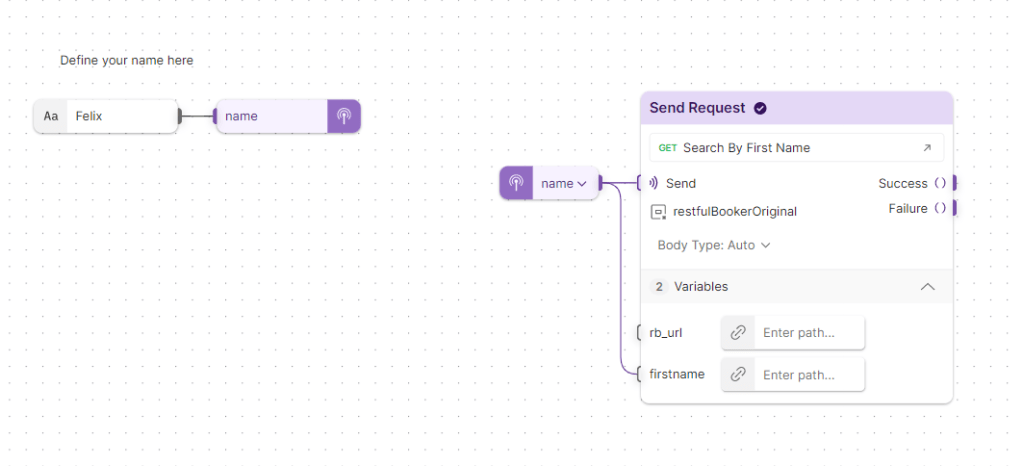
NOTE – The block may not recognise the response body data unless they have been defined in an example first. You won’t always see this, but particularly for POST requests, not having examples could stop your Flow from working completely.
Flow #2: Looping data
*Updated March 2023* If you want to loop through a response and apply a rule to it then you can find an example picture below. Here I define a list of names, and using a FOR loop take each name, do something with it in the Evaluate block (combine a string + the name) then output that response to a Send Request block. I have asked OpenAI to generate a poem about a tester, and output this to the log, and also an output block.
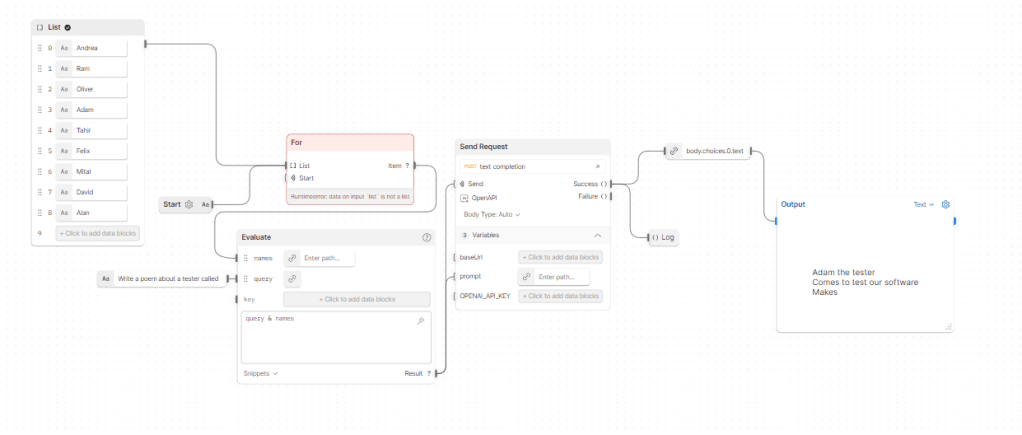
There are also Repeat blocks, which are handy if you want to re-run something a set number of times, or a Collect block, if you want to catch all of the output data as one homogenous chunk before you pass it through the flow. A bit of decision logic can be found using the IF block.
Flow #3: Take Inputs From Multiple APIs
This example shows how you can take requests running against two different environments from two different collections and perform a Check on them both to output to a terminal (in the GA Flows you could use the Evaluate and Log blocks. Another cool feature of Flows is the ability to send multiple API requests in parallel, so if you want to fire off multiple requests at the same time, just have the Start block connect to as many Send Request blocks as you need.
Flow #4: Passing Data Between Requests (descoped)
From version 9.5.0, you can use the Create Durables block to complete the task of passing data between requests – as long as you have created an example API request first! By adding the token as a durable type, the generated value can be persisted throughout the Flow. Note – this has now been replaced by the Create and Get Variable blocks (see Flow #1)
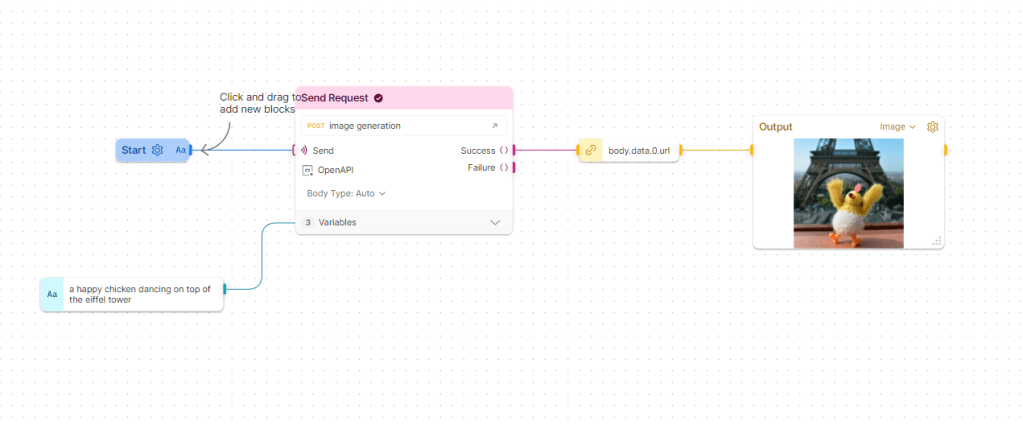
Flow #5: Generating a visual Output block
I’m hopeful that one day the test summary block will make a reappearance. However, the brand new Output block is a brilliant way to visualise the data that’s hiding in those API responses. Images, charts, even YouTube video’s can all be shown (I’m kinda thinking of it like a Datadog dashboard but at API level only).
https://learning.postman.com/docs/postman-flows/gs/flows-overview/
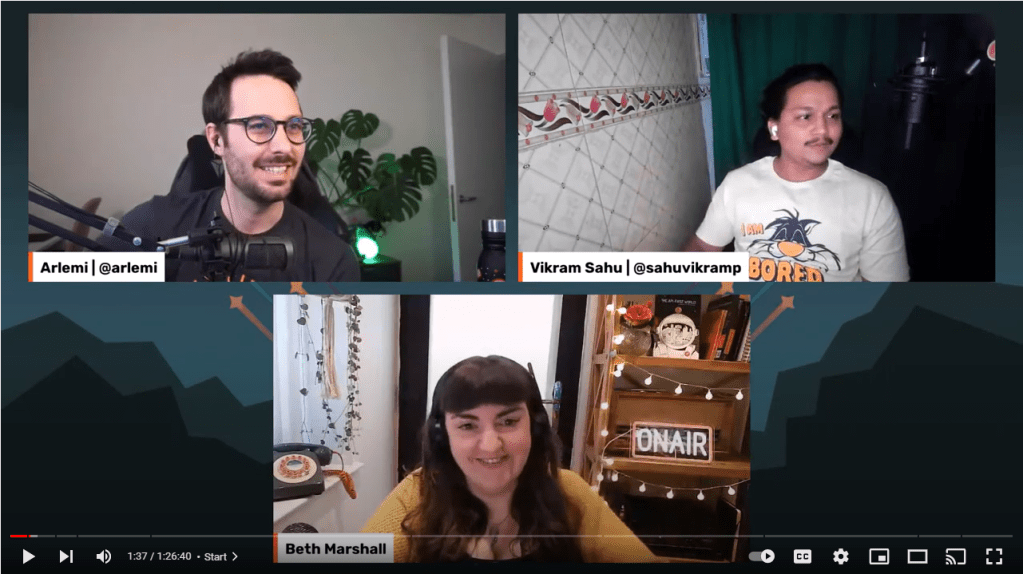
I hope these will help you to see how Flows might be useful to you in your testing endevors. You can see a video of a live stream I did with the Postman team where I walk through Flows in more detail here.
Bye for now 👋
 Beth The Tester's Tales
I send a request to receive a list of peoples. And then I want to send request for detail info about one choosed man. I want to pass value from set of ids from first request to second. Not first id and not second – random of ids. How can I make this?
LikeLike
Hi Andrey,
I believe this functionality has yet to be implemented into Postman flows: https://github.com/postmanlabs/postman-flows/discussions/289
LikeLike